How it works

Notes in, priced quote out.

There's not a lot to learn here. You type the job roughly the way you'd write it on the back of a docket, it prices the materials off real yard costs, and you get back an email to copy and a PDF to attach, ready to send from your own inbox.

A$100 a month. 30 days free, card taken up front, cancel any time.

The whole thing, start to finish, with no sound: notes typed in and priced, a site note kept off the charges, a matching product chosen, the quote built, the margin checked, and the printed PDF you send. Recorded against the real app and Centenary's real prices.

One

Type the job in your own words.

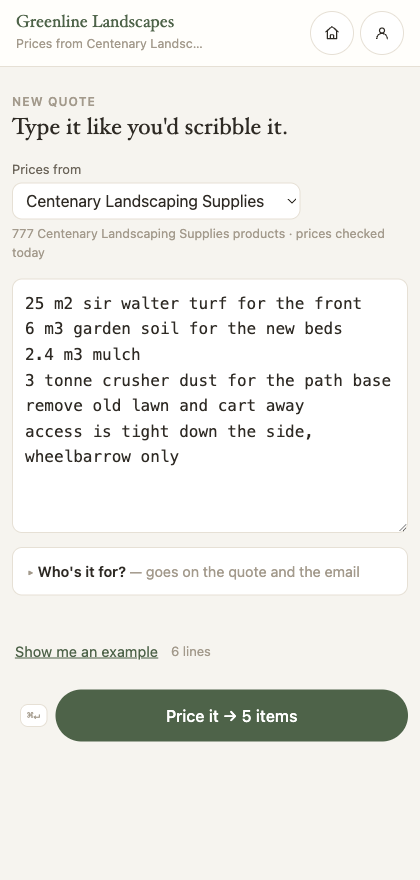
No dropdowns, no forms, no product codes to look up. Write "8m3 crusher dust for the driveway base" and it works out what that is, how much of it you need and what it costs. Site notes like "gate is narrow, wheelbarrow only" get recognised as notes and stay off the charges. When a line could genuinely be two different products, it tells you and asks instead of guessing.

The QuickQuote app with a job typed in as plain notes and the priced lines underneath.

Two

Or photograph the pad and skip the typing.

Most of us walk a job with a pad, not a phone. Take a photo of what you scribbled — a few pages if the job ran long — and QuickQuote reads the handwriting and types it out for you. The words land in the notes box, where you read them over before anything is priced, exactly as if you'd typed them yourself.

It won't guess. Anything it can't make out is marked so you can see it and fix it, rather than a number nobody wrote ending up on a client's quote.

The photo isn't stored. It's read once and discarded — there's nothing kept on our side and nothing for you to clear out later.

Three

Priced off four real yards.

2,100 products from Centenary Landscaping Supplies, Rockmate, Rock 'N' Soil and Nudgee Road Landscape Supplies, so the number on the quote is the number the yard will charge you. Price updates are included, and each yard shows how old its prices are and gets flagged when they go stale, so you're never quietly working off something from months ago. You also see the margin on the job before it goes out.

Smooth grey pebble and reddish bark mulch meeting, seen from above.

Four

You send it, from your own inbox.

Once the job is priced you get two things. The client email, written out ready to copy, with the whole quote in the body of it: every line, the total, the deposit and where to pay. And a PDF with your logo, your ABN and your payment terms on it. Copy one, attach the other, send it the way you send everything else.

QuickQuote never contacts your client. There's no link for them to click and no page for them to sign into, so nothing goes out under your name that you haven't read, and the reply lands in your own inbox where you'll actually see it.

That's on purpose. Clients say yes by replying to an email, not by tapping a button on a web page, so there was a version of this that emailed them, tracked them and chased them, and it went in August 2026. The quote is yours to send and the job is yours to close.

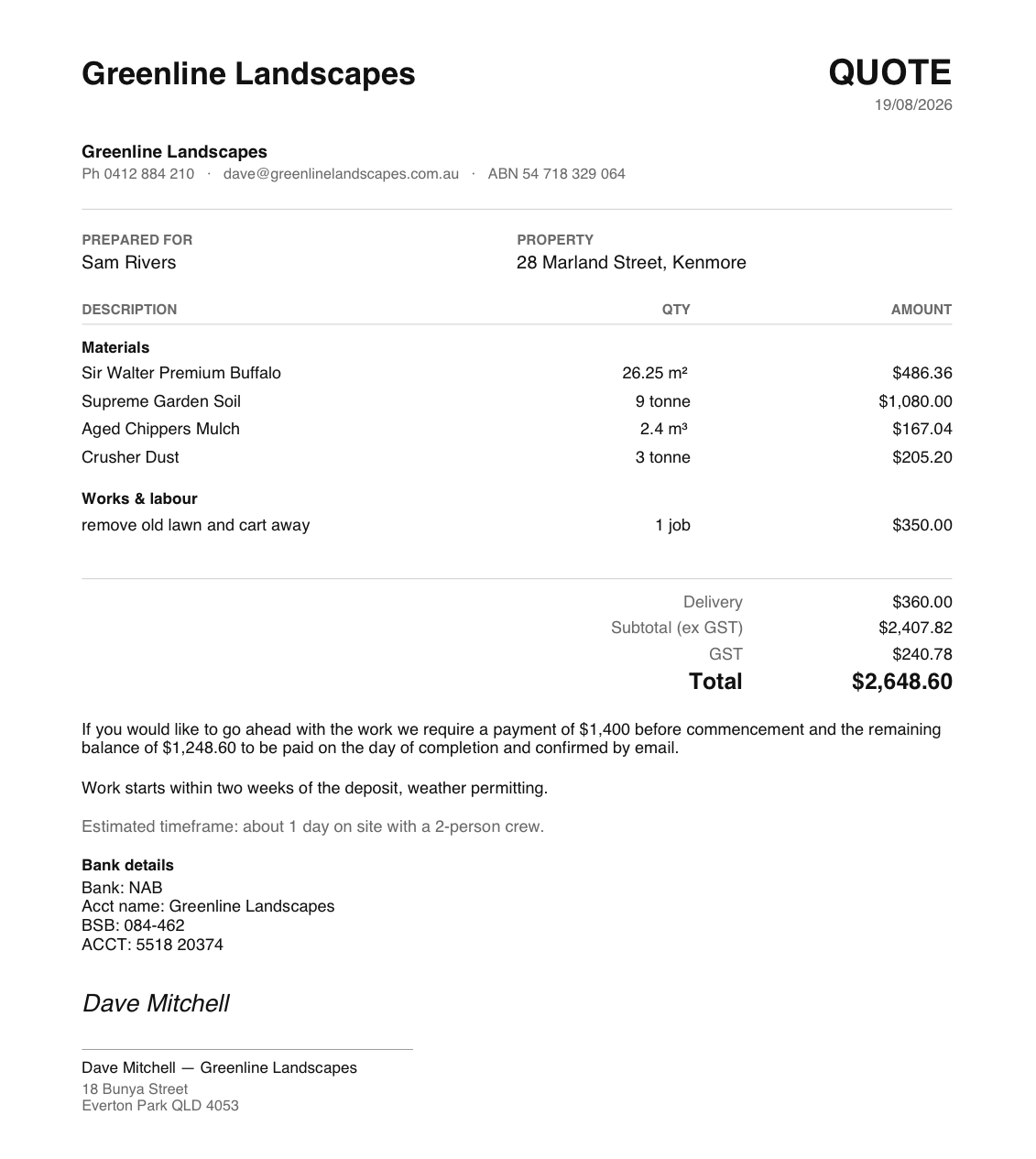
A finished QuickQuote PDF: the business name, ABN and phone at the top, the client and property, each material itemised with quantity and amount, then labour, delivery, a subtotal, GST and a total of $2,648.60, the deposit terms, bank details and a signature.
The PDF from the job in the video above — the same figures, because it is the same quote. Your margin is never on it.

Five

Works on site with no signal.

It installs to your phone like an app and keeps working with no reception. Quote in the back yard, in a gully, out past Ipswich, wherever the job is, and it syncs when you're back in range.

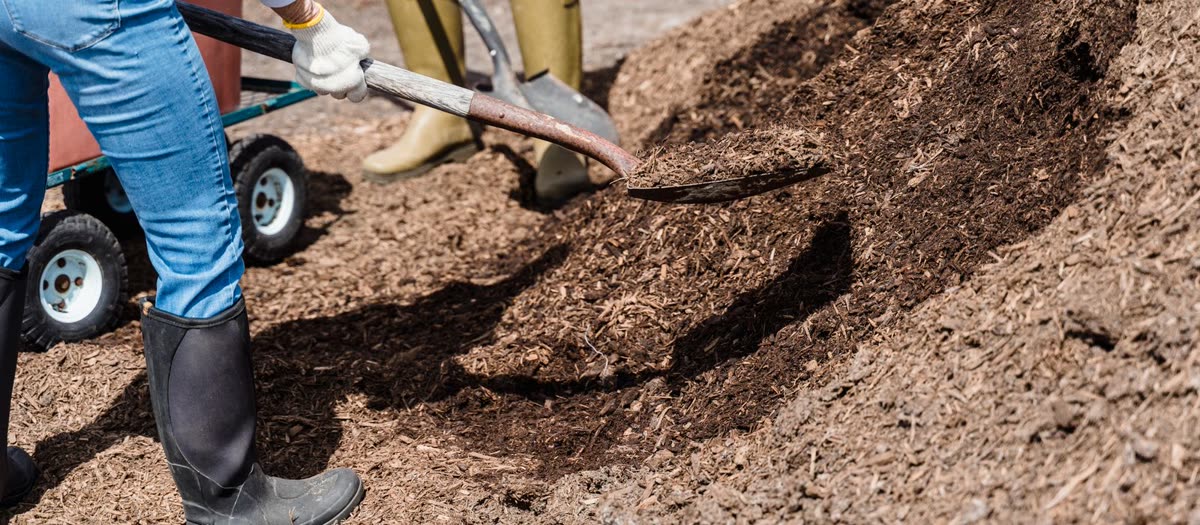
Two landscapers shovelling bark mulch off a heap and spreading it over a garden bed.

And the rest of it

The parts nobody puts on a home page.

All included in the A$100. There's no upgrade tier.

The email is written for you

Subject and body, with the whole quote in it, ready to copy straight into your own email and send.

A run sheet for you

What happens on day one, day two, and roughly how long the job runs. Yours only — it never appears on the client's quote.

An order list for the yard

Everything the job needs in one list, ready to copy into a message to the yard.

Site photos on the quote

Attach what the place actually looked like, so there's no argument about it three weeks later.

Templates for repeat jobs

Save a job you quote over and over and re-run it against today's prices in seconds.

Deposits, cash and loads

Deposit and balance split for you, a cash discount if you offer one, and how many ute loads the job has to cart.

GST the way you need it

Registered or not, the quote on screen, the email and the PDF all print the same figures, so your client never gets two versions of the total.

A PDF with your name on it

Download it, or share it straight off your phone, with your logo, your ABN and your payment terms already on the page.

Your quotes stay yours

Every quote saved with its client, date and total, and you can export the lot any time: trial, years in, or the day you cancel.
Try it on your next job.

Type in the last quote you wrote by hand and see what comes back. 30 days free, cancel any time.

Start your free trial